Your staff can request to do additional/CPD learning from the course catalogue. This shows you how and where to approve the request
Managers will receive email notifications for enrolment requests from their group members
Step 2
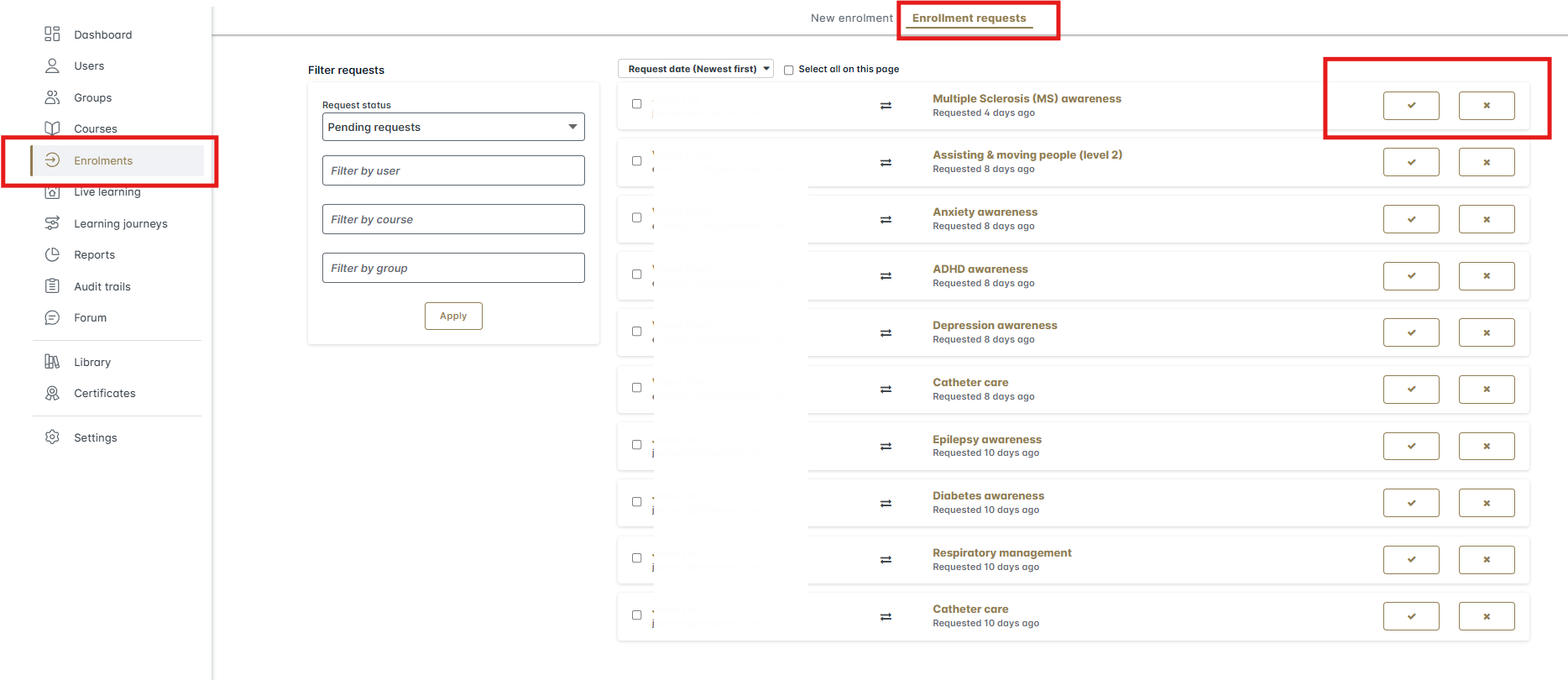
Log into your Boost Learn account and to access these requests click on Enrolments on the left hand side
Step 3
Click into the Enrolment Requests section, which will bring you up a list of learners and their requests
Step 4
As a manager you can approve (click the tick icon) or reject (click the cross icon) individuals requests. Once this is done the learner(s) will then be able to access the course
Was this article helpful?
That’s Great!
Thank you for your feedback
Sorry! We couldn't be helpful
Thank you for your feedback
Feedback sent
We appreciate your effort and will try to fix the article