Step 1
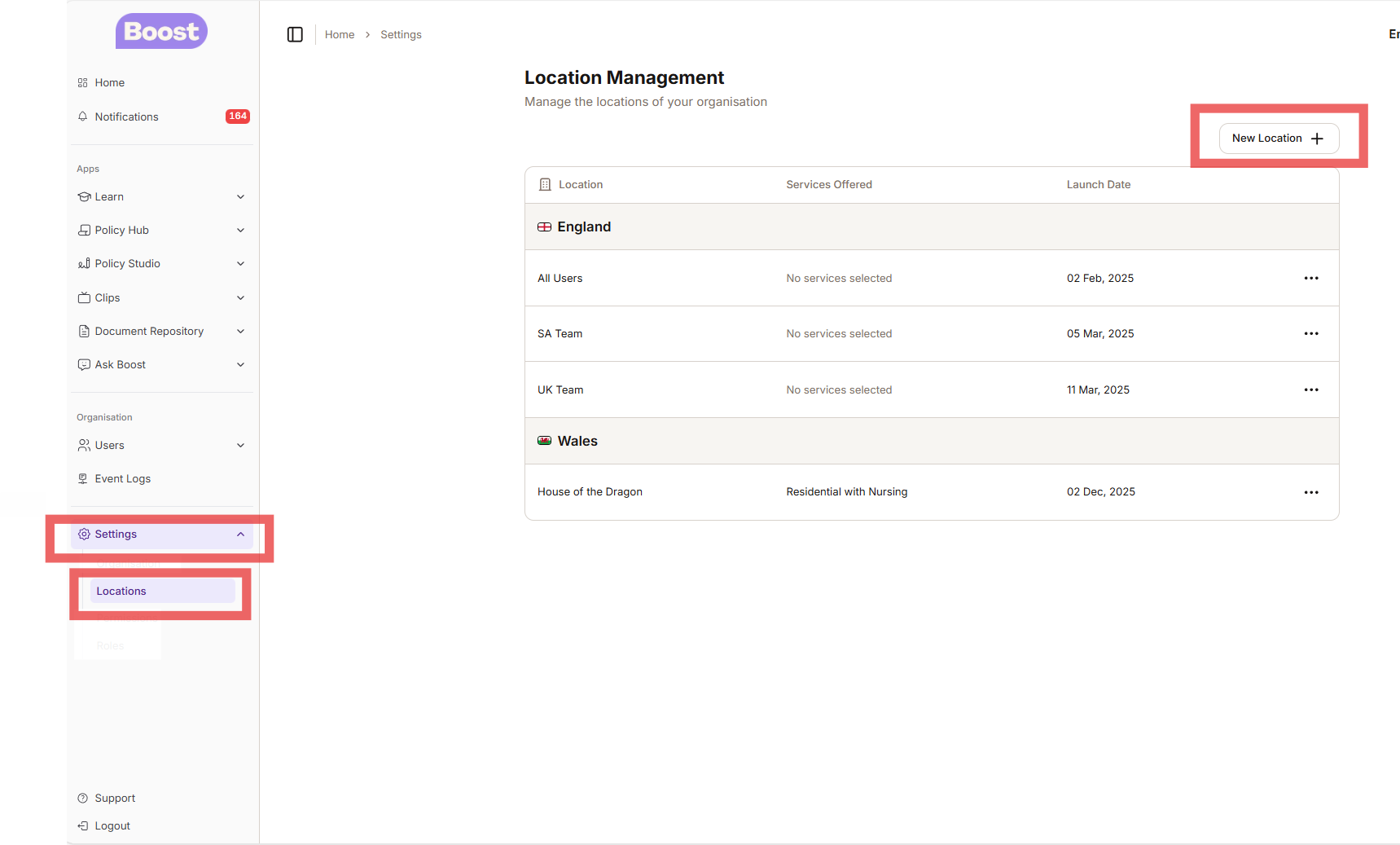
To add a new location - Log into your Dashboard and scroll down to Settings then Locations.
Click on location and select New Location
Step 2
Once you have clicked on a new location, the Create Location box will be presented to you. Once you fill in the details you can then click the Create Location button highlighted in purple.
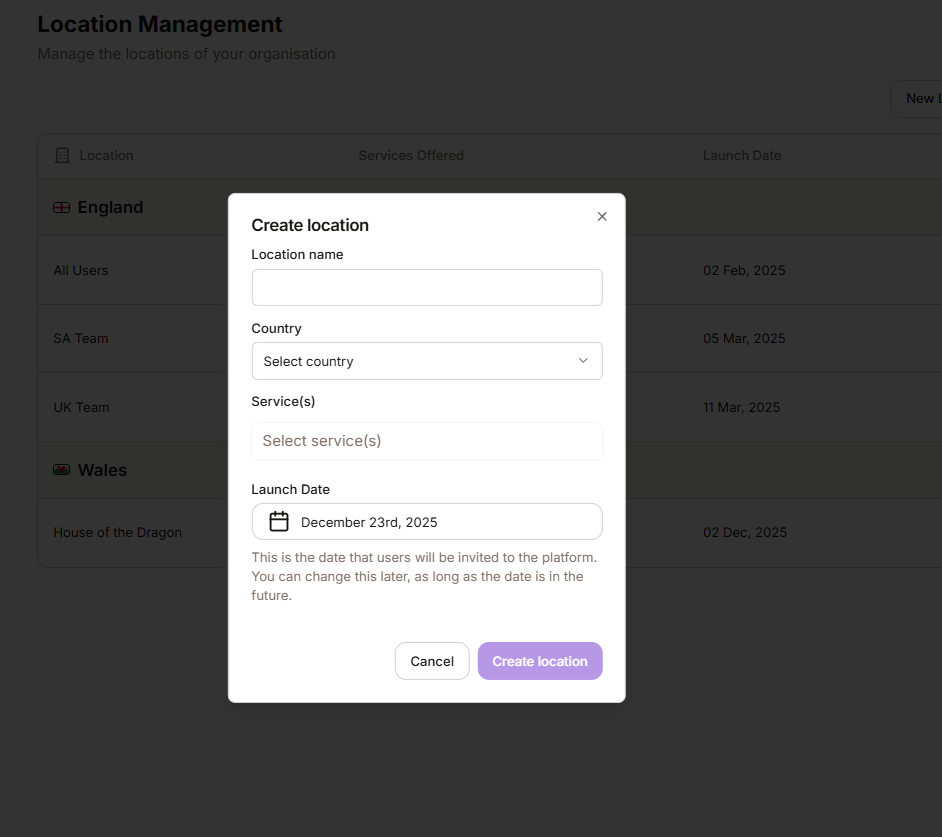
NOTE: If you home is not yet live then you can put in a launch date - this will be the date that the learners are automatically invited onto the Boost Platform.
Was this article helpful?
That’s Great!
Thank you for your feedback
Sorry! We couldn't be helpful
Thank you for your feedback
Feedback sent
We appreciate your effort and will try to fix the article