Step 1
To add a new location - Log into your Dashboard and scroll down to Settings then Locations.
Step 2
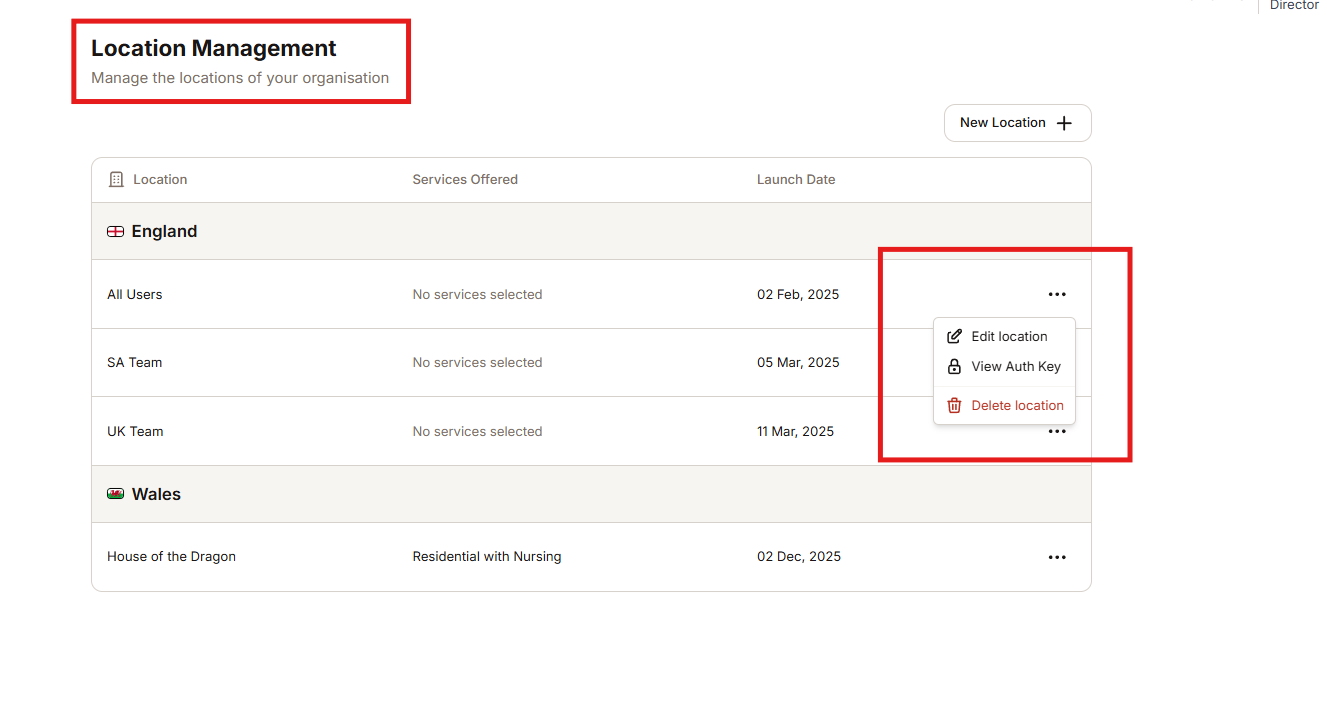
Find the location (home) you would like to amend and click on the 3 dots to bring up a drop down menu
Step 3
From this drop down you will be able to Edit and delete the location (home).
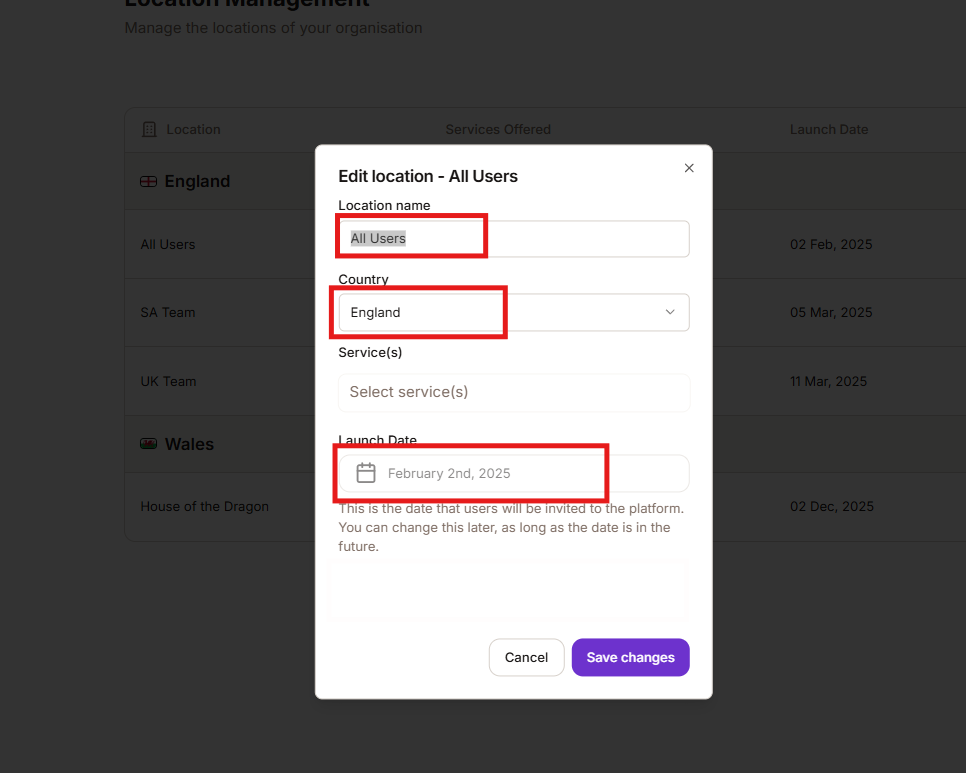
If you click into Edit it will allow you to change the location (home) name, the country (if applicable) or if they are not live, amend the launch date.
Was this article helpful?
That’s Great!
Thank you for your feedback
Sorry! We couldn't be helpful
Thank you for your feedback
Feedback sent
We appreciate your effort and will try to fix the article