When you need to add or delete a learner, it MUST be done from your Boost Dashboard.
Step 1
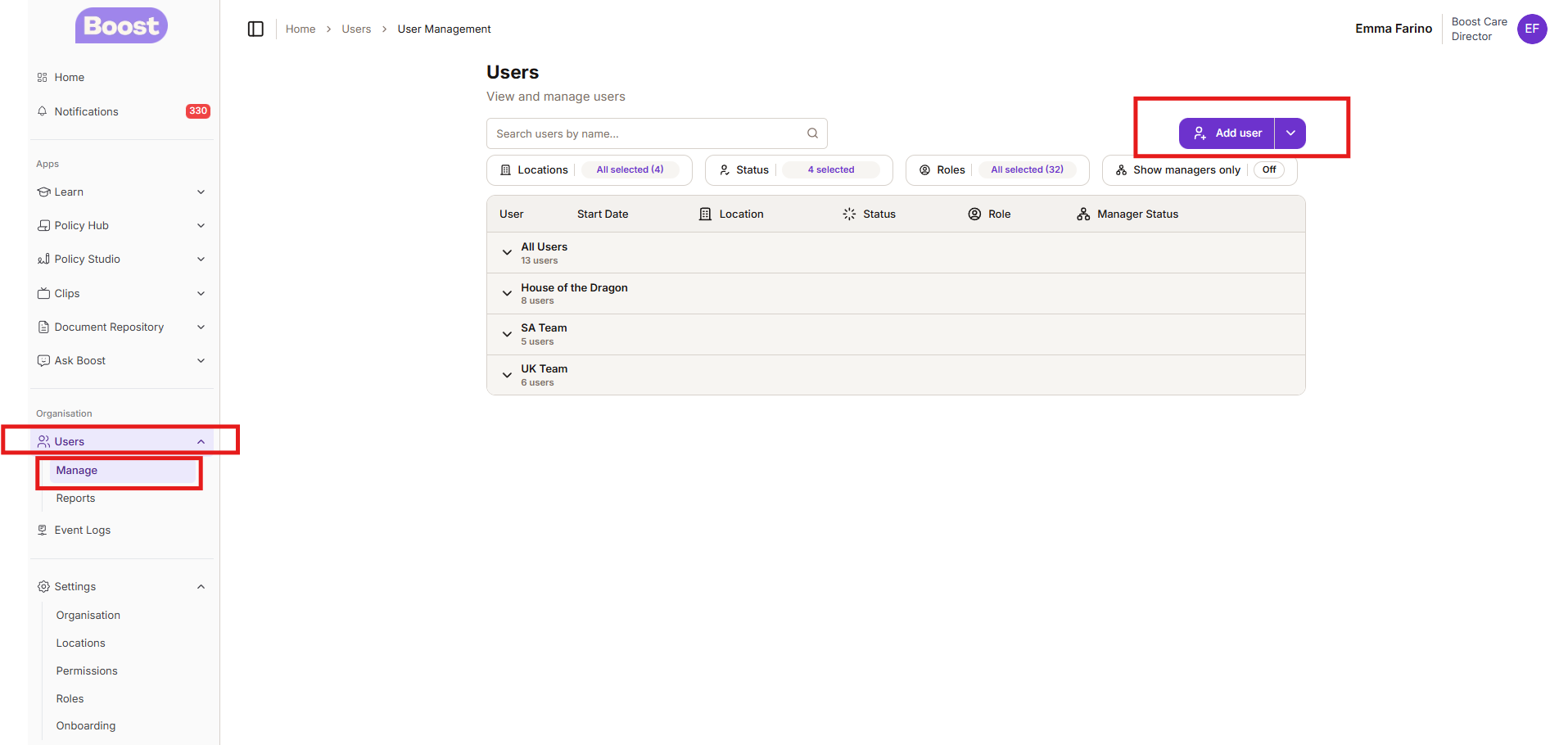
- Log into the Boost Dashboard
- On the left hand side - click USERS - Click Manage
- Go to Add USER
Step 2
Follow the steps and once you have completed everything you can then click on CREATE
You must fill in the home that they will be working at and also their job role as this will feed over to Boost Learn so they are allocated the correct learning journey.
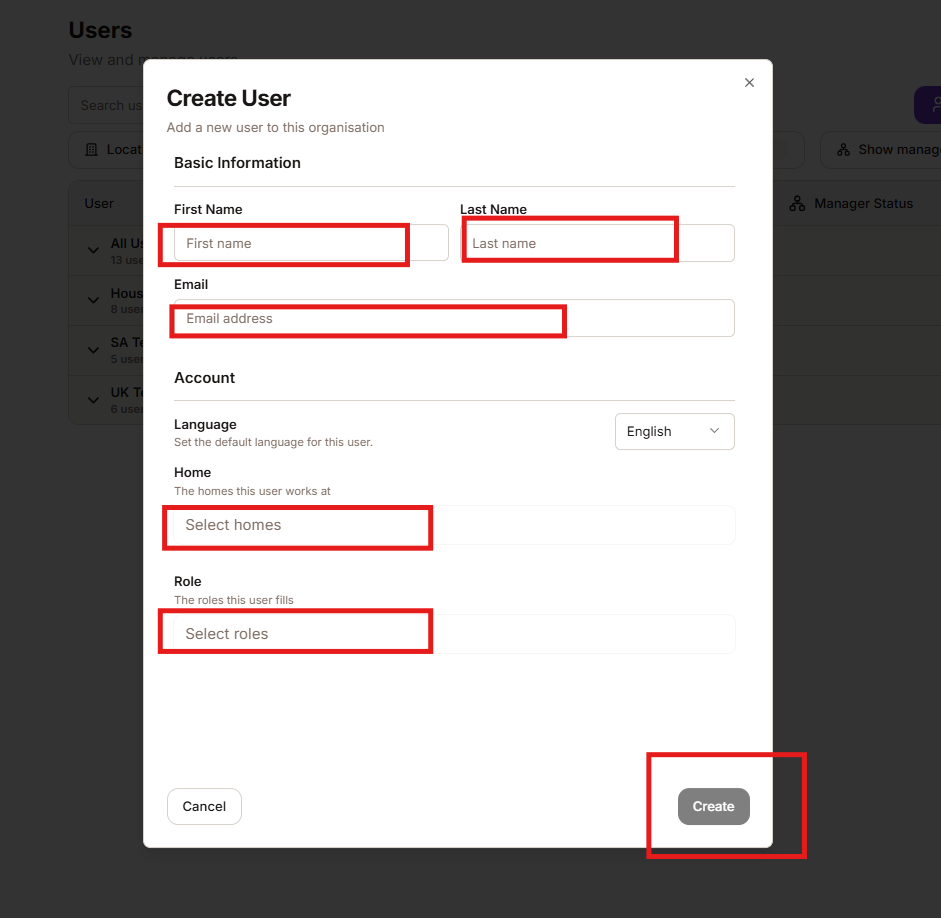
We you click create the users will be created within the Boost Dashboard and also created within Boost Learn - then will then receive their welcome link automatically.
Was this article helpful?
That’s Great!
Thank you for your feedback
Sorry! We couldn't be helpful
Thank you for your feedback
Feedback sent
We appreciate your effort and will try to fix the article