You can change your email address from your own profile. Your email address is also your login, so once you change it you'll sign in with the new email. Your password stays the same.
Change your email
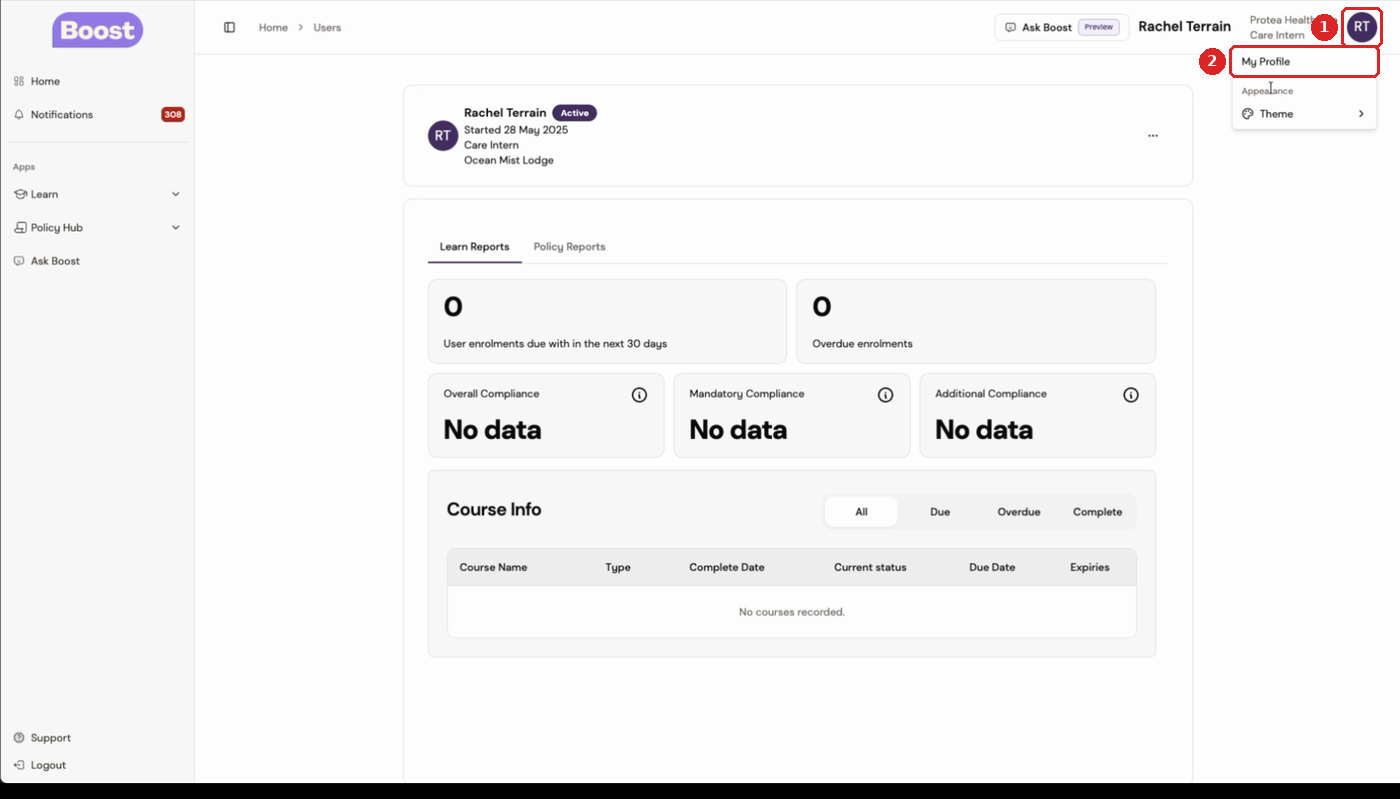
- Click your initials at the top right, then click My Profile.
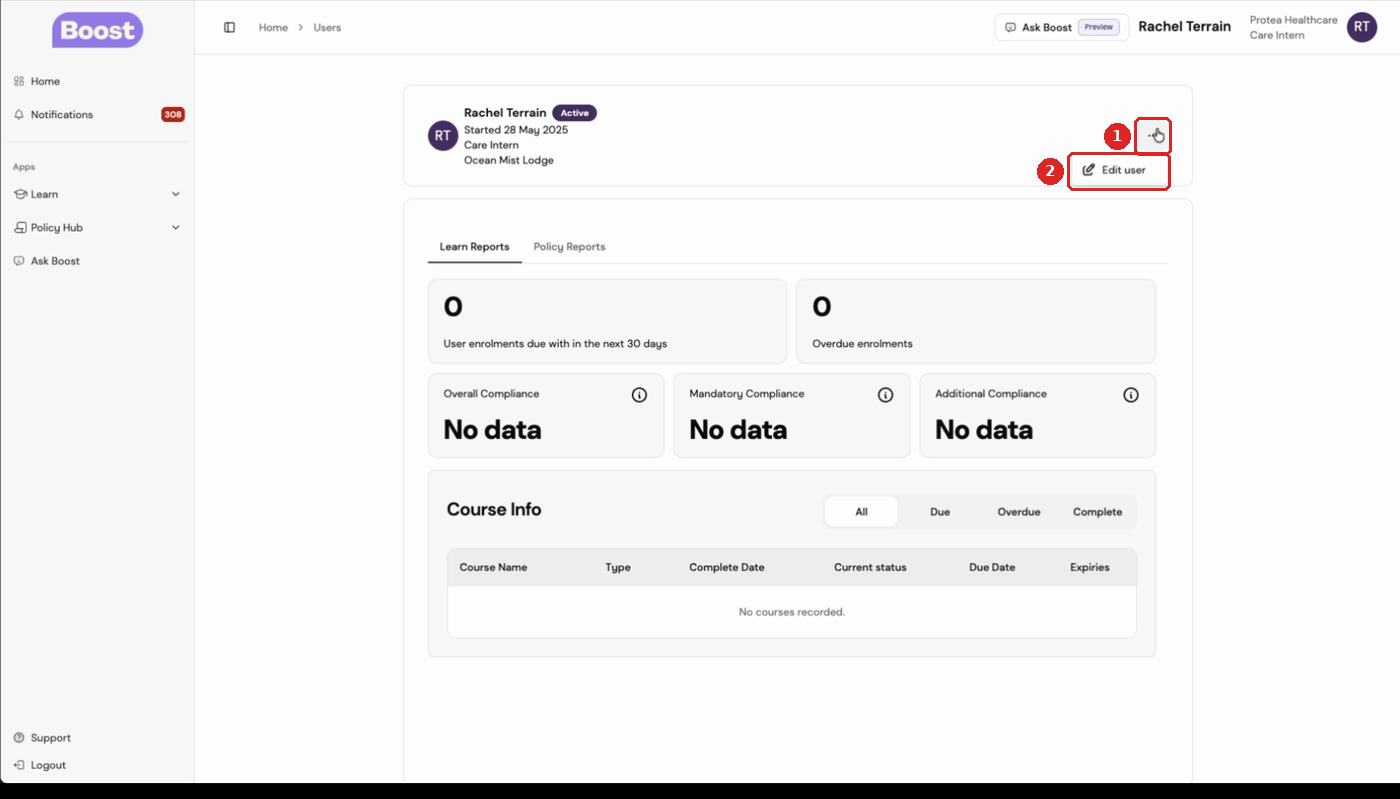
- Click the three-dot menu on your profile card, then click Edit user.
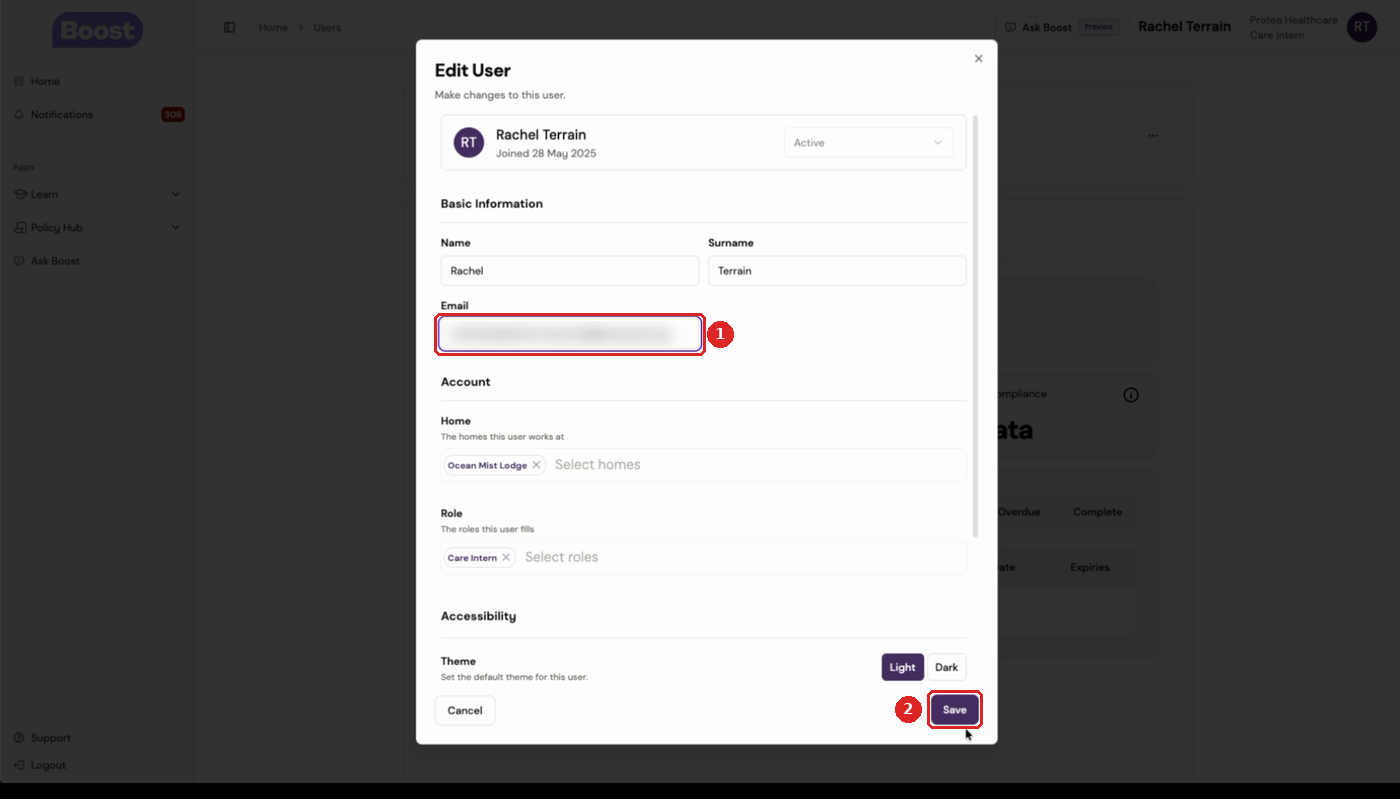
- In Email, replace your old email address with the new one.
- Click Save.
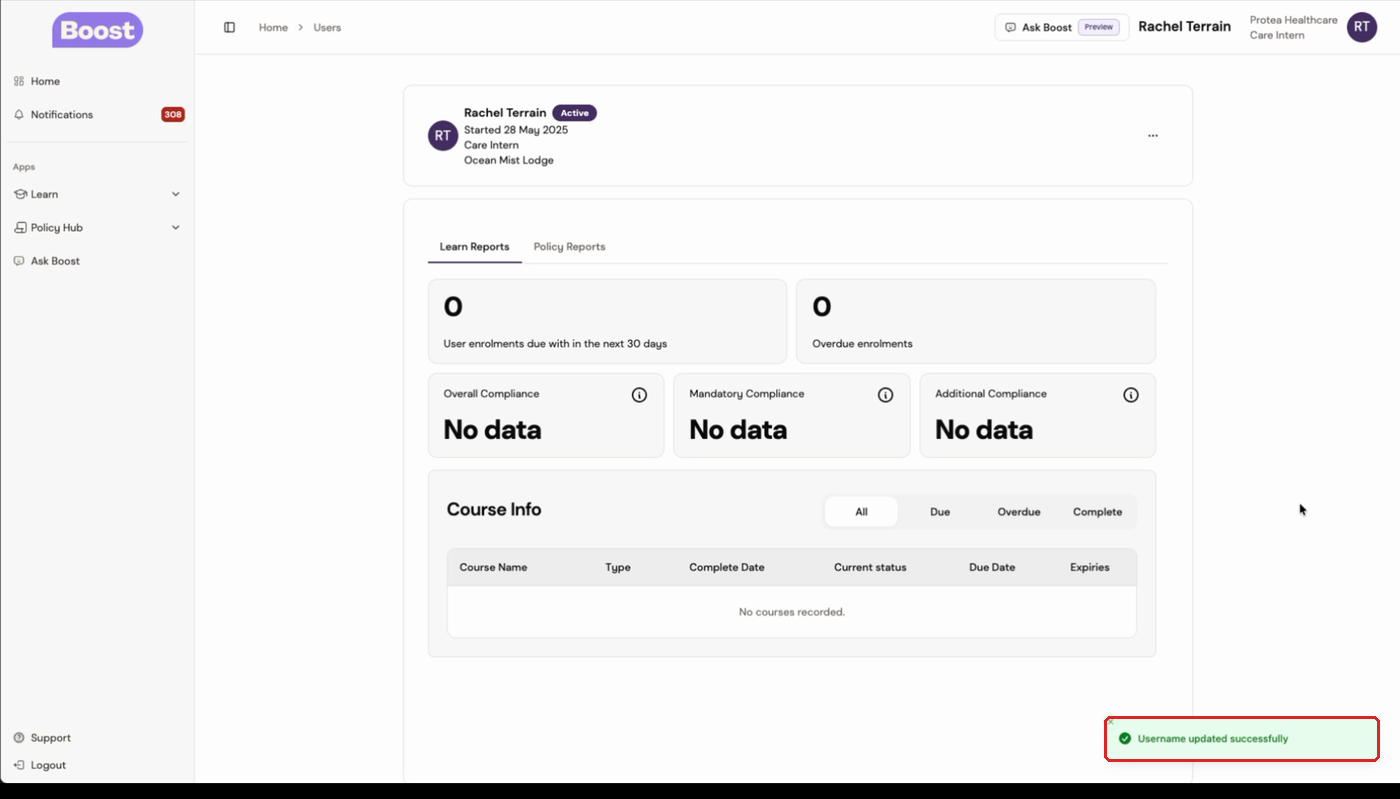
A "Username updated successfully" message appears. Your new email is now your login.
Sign in with your new email
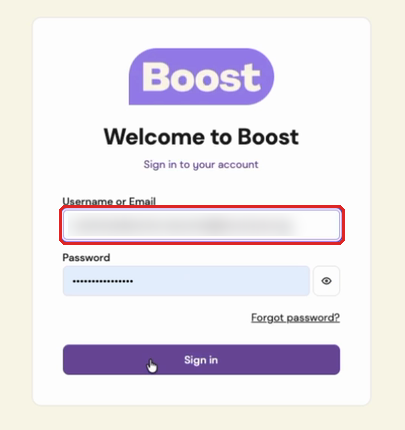
The next time you sign in at dashboard.boostcare.org, enter your new email in Username or Email and your usual password. Your old email won't work any more.
If your browser or password manager saved your old login, update it so it stops filling in the old email.
Was this article helpful?
That’s Great!
Thank you for your feedback
Sorry! We couldn't be helpful
Thank you for your feedback
Feedback sent
We appreciate your effort and will try to fix the article