You get to Boost Learn from your Boost dashboard. Sign in to Boost once and Boost Learn opens without a separate login or password.
Open Boost Learn
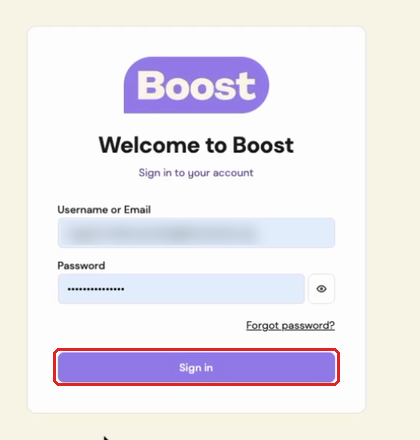
- Go to dashboard.boostcare.org, enter your username or email and your password, and click Sign in. If you've forgotten your password, click Forgot password? on the same page.
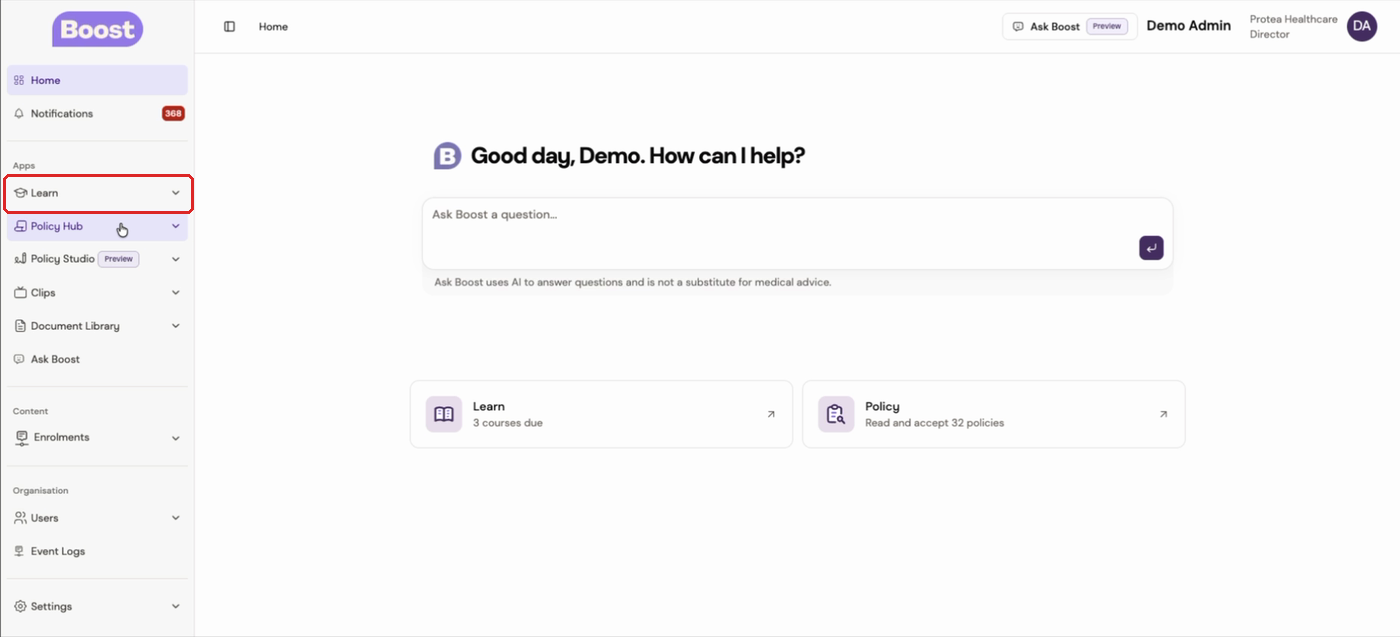
- In the left-hand menu of your Boost dashboard, click Learn.
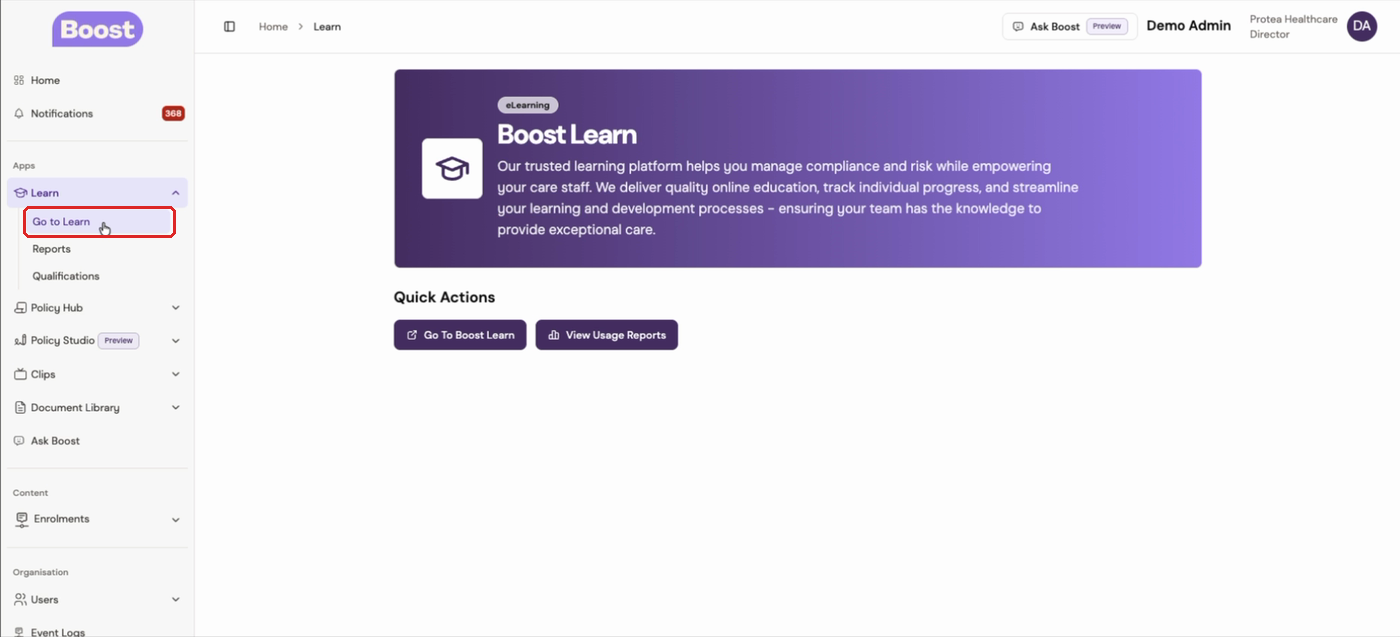
- Under Learn, click Go to Learn. Boost Learn opens and signs you in automatically. This can take a few seconds.
Find your courses
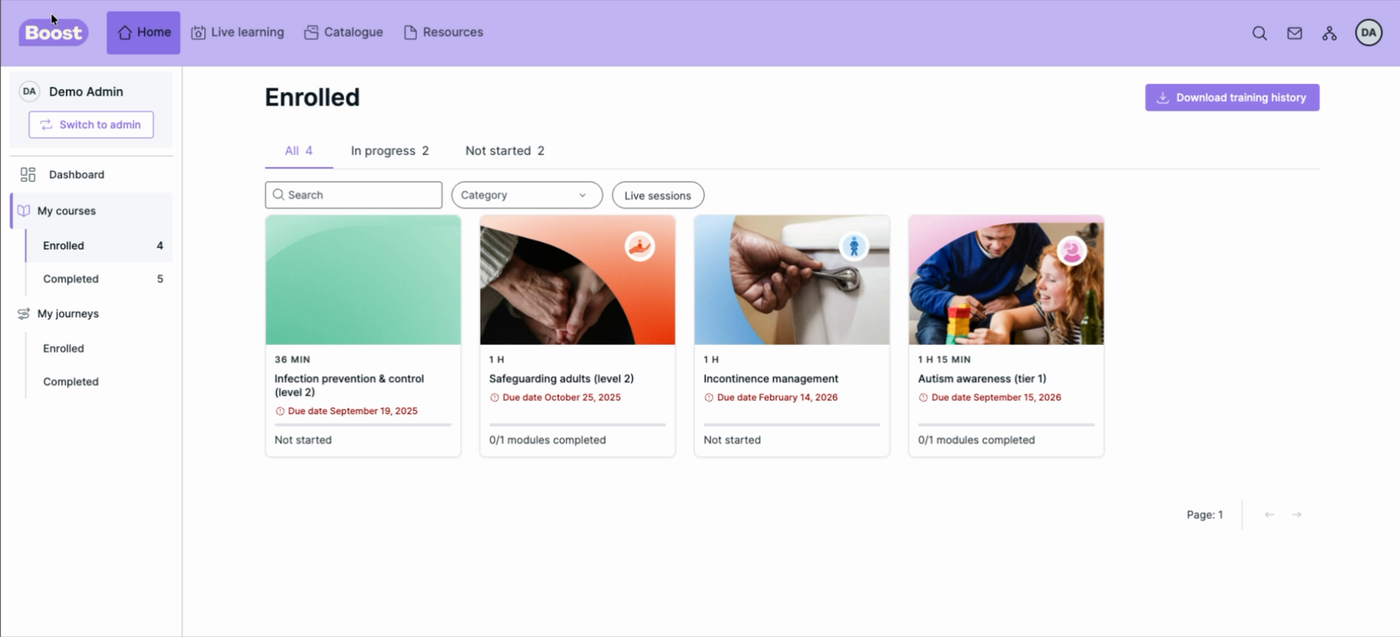
- On your Boost Learn home page, click Enrolled under My courses in the left-hand menu.
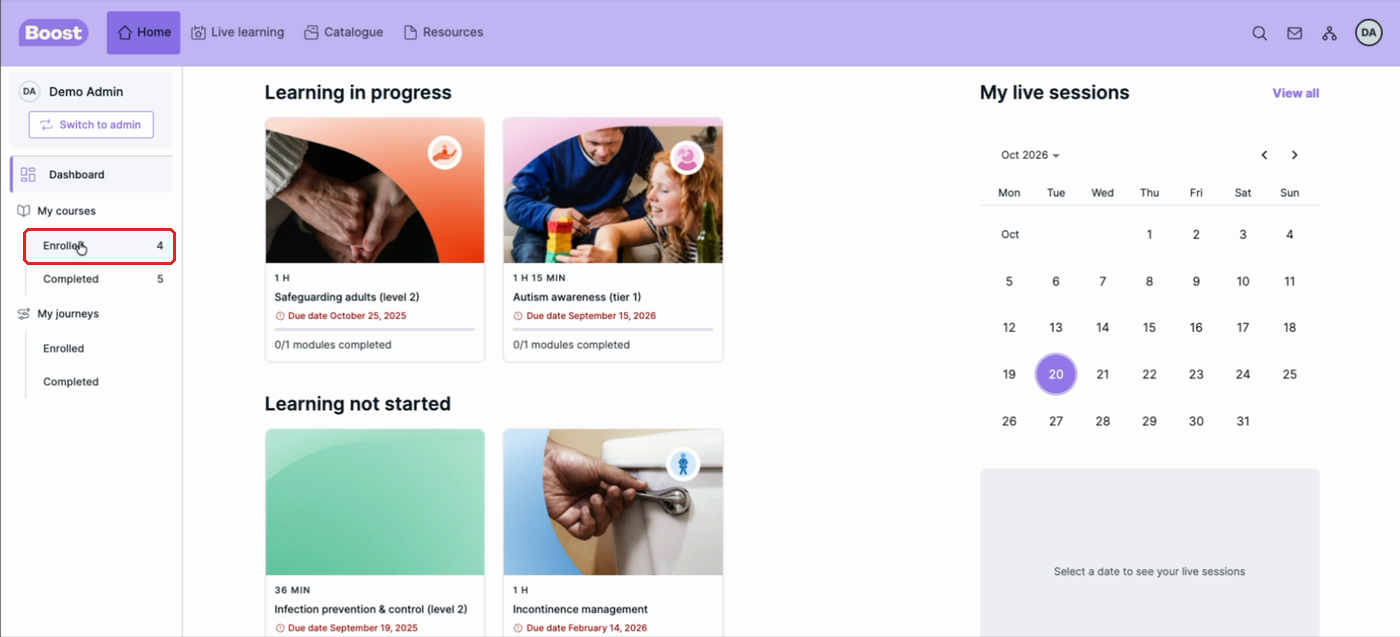
- This lists every course you're enrolled on. Use the In progress and Not started tabs to narrow the list.
Was this article helpful?
That’s Great!
Thank you for your feedback
Sorry! We couldn't be helpful
Thank you for your feedback
Feedback sent
We appreciate your effort and will try to fix the article