Overview
The Qualifications Report gives you an at-a-glance summary of qualification progress across your organisation, with options to filter by location and download the data for further analysis.
Accessing the qualifications report
- From the Boost dashboard, expand Learn in the left sidebar.
- Select Reports.
- Scroll to the bottom of the Reports page. You will find the Qualifications section here.
Highlight cards
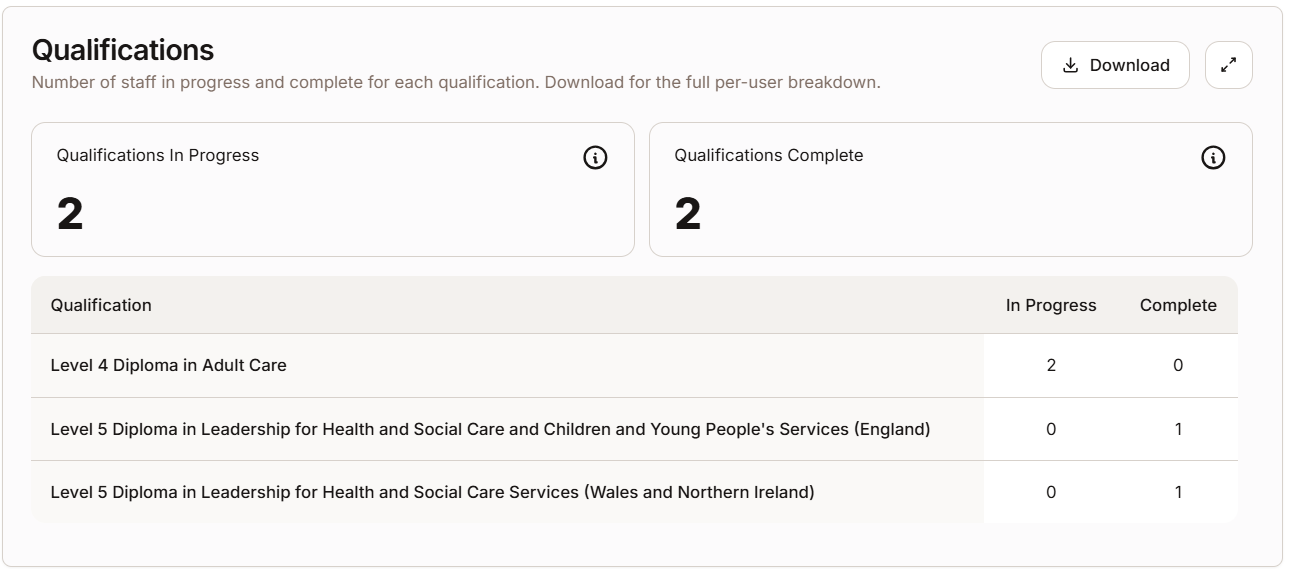
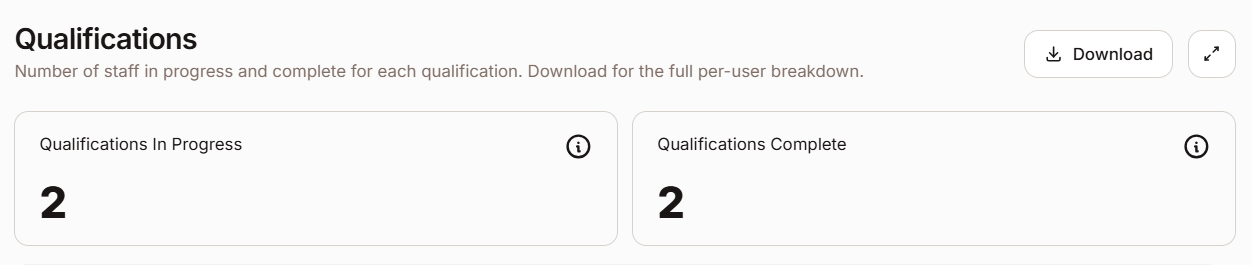
At the top of the Qualifications section, you will see a series of highlight cards, one for each qualification being tracked across your organisation.
Each card shows:
- The name of the qualification.
- The number of staff currently In Progress.
- The number of staff who are Complete.
Qualifications table
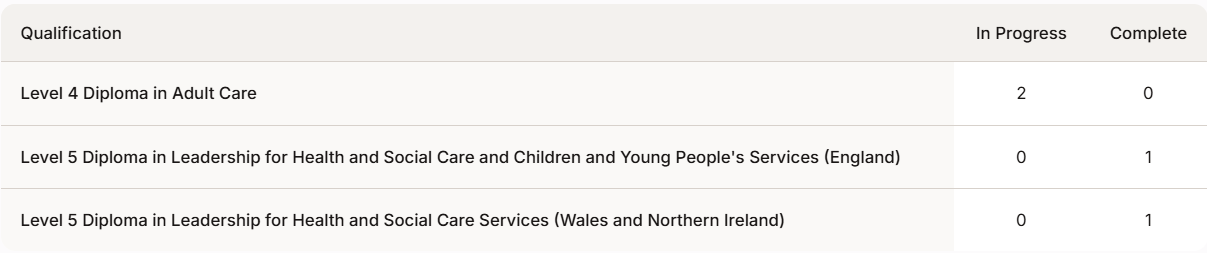
Below the highlight cards, a table lists every qualification that staff members are currently working towards or have completed within your organisation.
| Note: Withdrawn qualification records are intentionally excluded from the report. Only In Progress and Complete records are shown here. |
Filtering by location
The qualifications table responds to the filters at the top of the Reports page. To view data for a specific location or role:
- Use the location or role filter at the top of the page to select the location or role you want.
- The highlight cards and the table will update automatically to show only data for that location or role.
Downloading the data
You can export the qualifications data as either an Excel (.xlsx) or CSV (.csv) file.
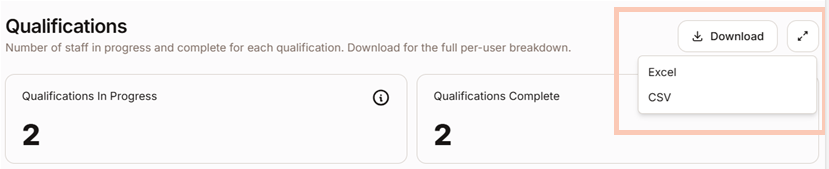
- Select the Download button above the qualifications table.
- Select your preferred format: Excel or CSV.
The data in the Excel file
The Excel file contains three sections:
| Sheet / Section | Contents |
| Key | A glossary explaining the terms and column headings used in the report. |
| Highlights/Summary by qualification | The summary by qualification data from the highlight cards: The number of qualifications in progress and complete per qualification. |
| Qualifications list | A full list of all qualification records with all key information from the table. |
| Note: The CSV download contains the qualifications list data only. Use the Excel download if you need the key or the highlights summary. |
Was this article helpful?
That’s Great!
Thank you for your feedback
Sorry! We couldn't be helpful
Thank you for your feedback
Feedback sent
We appreciate your effort and will try to fix the article