Sometimes you will need to change permission levels for a job role.
This could be to give a job role Manager permissions or move them back to staff permissions.
To change the permission levels you will need to be an Admin for your organisation and have control of the administration of the Boost Dashboard.
Click into Settings - Click Roles - Find the Job Role that you need to change and click on the 3 dots
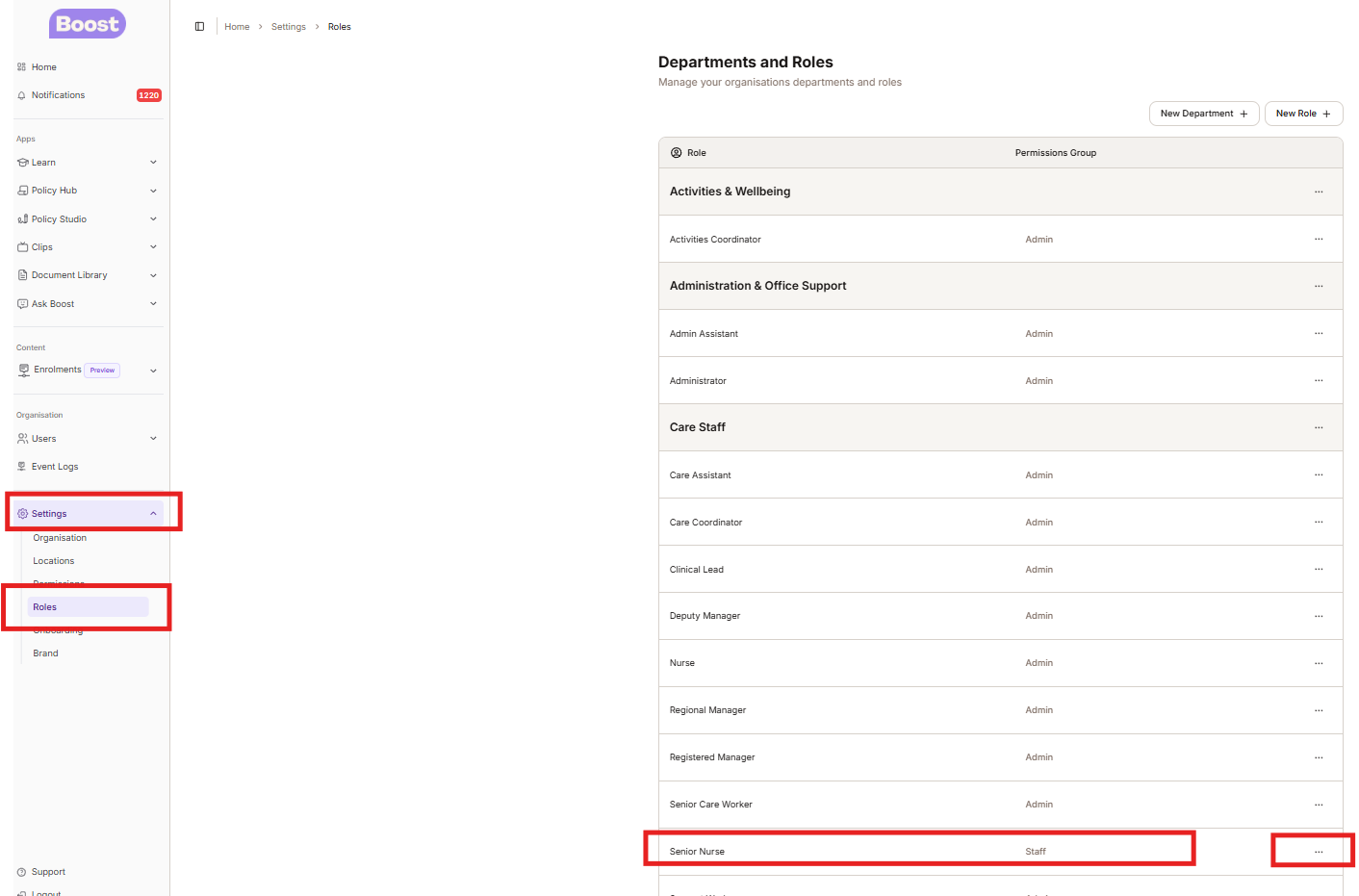
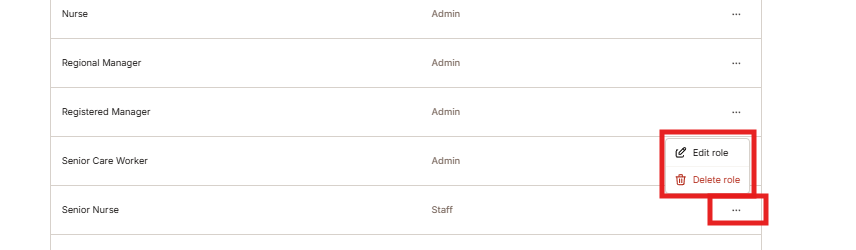
Once you click the 3 dots you will come up with a pop out box, where you can now Edit Role
Once you have clicked Edit Role you can then select the new permission level with the Permission Group drop down box - then Save changes
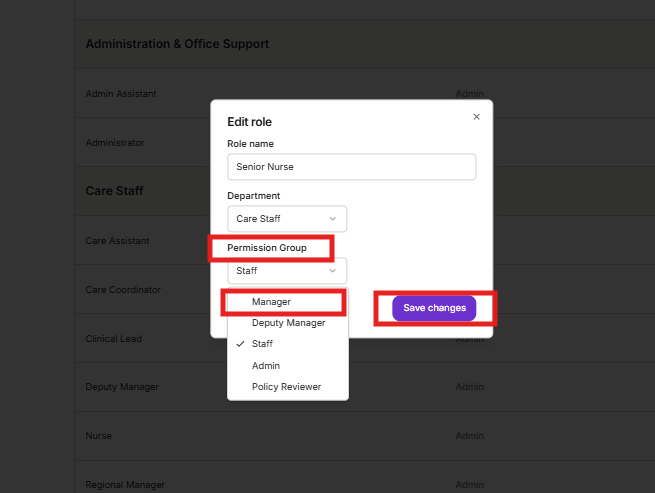
This will now save your changes and EVERYONE with that job title will have the new permissions
Was this article helpful?
That’s Great!
Thank you for your feedback
Sorry! We couldn't be helpful
Thank you for your feedback
Feedback sent
We appreciate your effort and will try to fix the article