Step 1
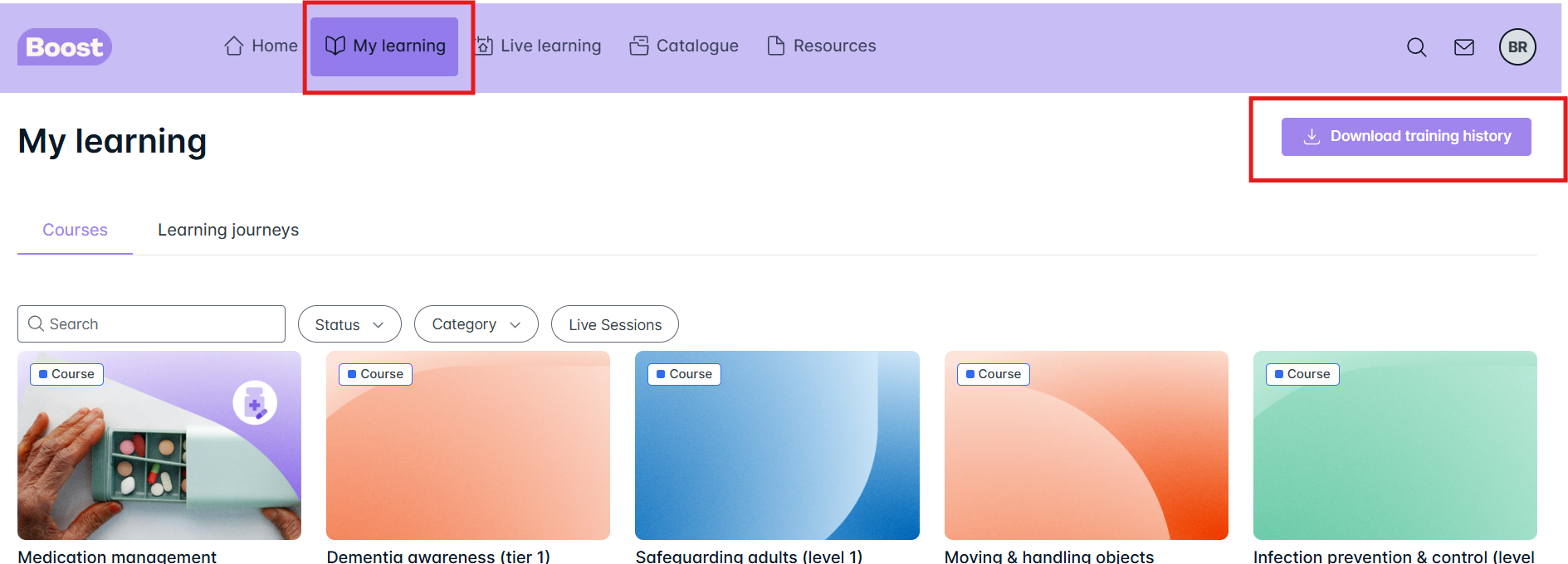
From the Home page, select ‘My learning’

Step 2
A button will appear on the right hand side - Download Training History
Step 3
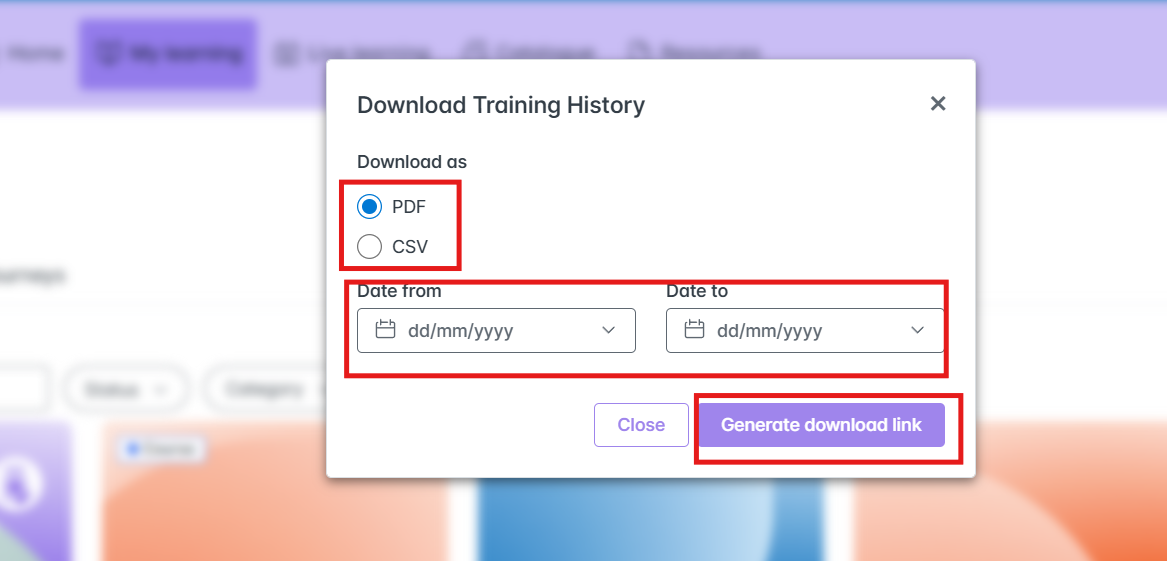
Once you click this button it will give you a screen where you can select the date range and how you want to print out your record - PDF or CSV. Once you have made all the selection, click on Generate Download Link
You can then either choose to print it or save it to your files/desktop. If you save it, you can then attach it to an email to send onto whoever you wish.
Was this article helpful?
That’s Great!
Thank you for your feedback
Sorry! We couldn't be helpful
Thank you for your feedback
Feedback sent
We appreciate your effort and will try to fix the article