Step 1
Log into My Learning at the top of your screen

Step 2
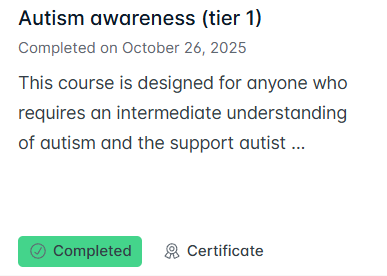
Find the course that you want to print the certificate for - it must be showing as 'Completed'
Step 3
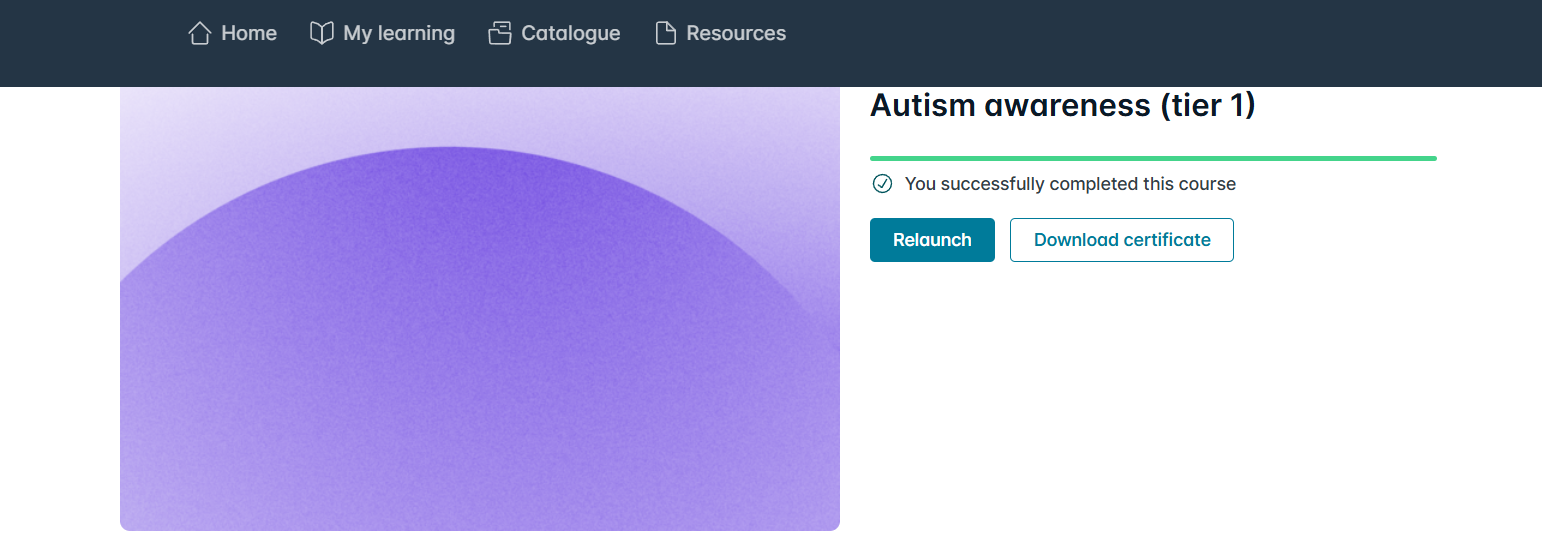
Click on the course, once opened click on 'Download Certificate'
Step 4
Once you click on 'Download Certificate' a message will come up to tell you that the certificate is downloading and then tell you when its complete - click on download
Step 5
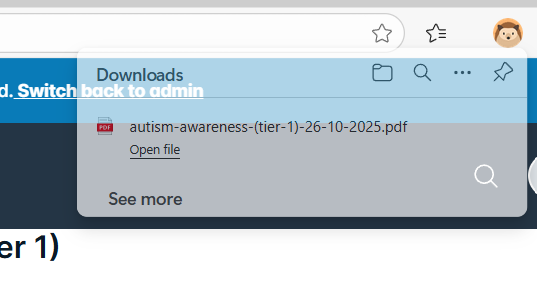
There will be a tap at the top right hand of the screen asking you to 'Open File' which you need to click on
Step 6
A screen will come up showing your certificate and you will need to click the print icon as shown below
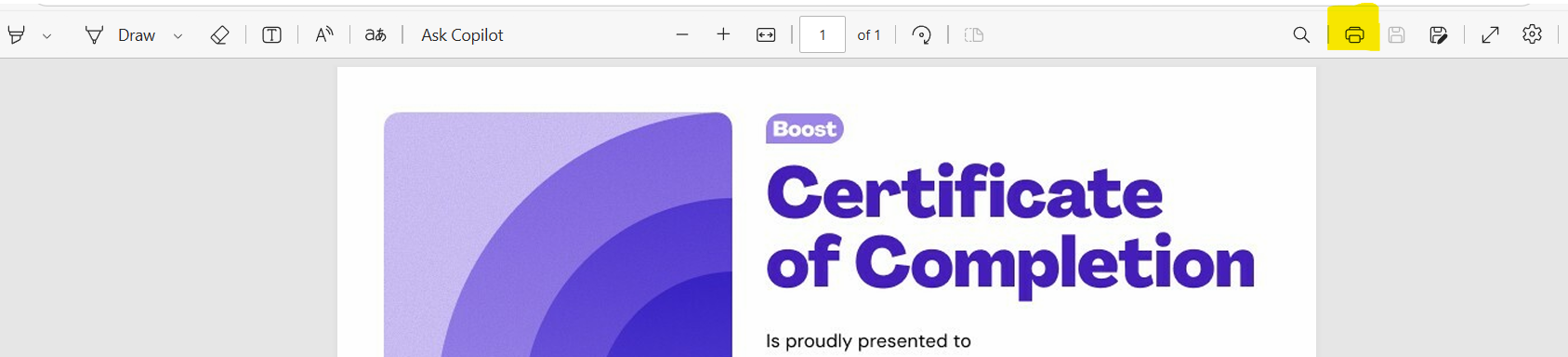
Once you do this it will come up with the print screen, where you can choose the printer, you would like to use.
Was this article helpful?
That’s Great!
Thank you for your feedback
Sorry! We couldn't be helpful
Thank you for your feedback
Feedback sent
We appreciate your effort and will try to fix the article