All of your organisation's policies live in the app under Resources. You can get to any of them in four taps – no login to anything else, no downloads.
Here's what each step looks like: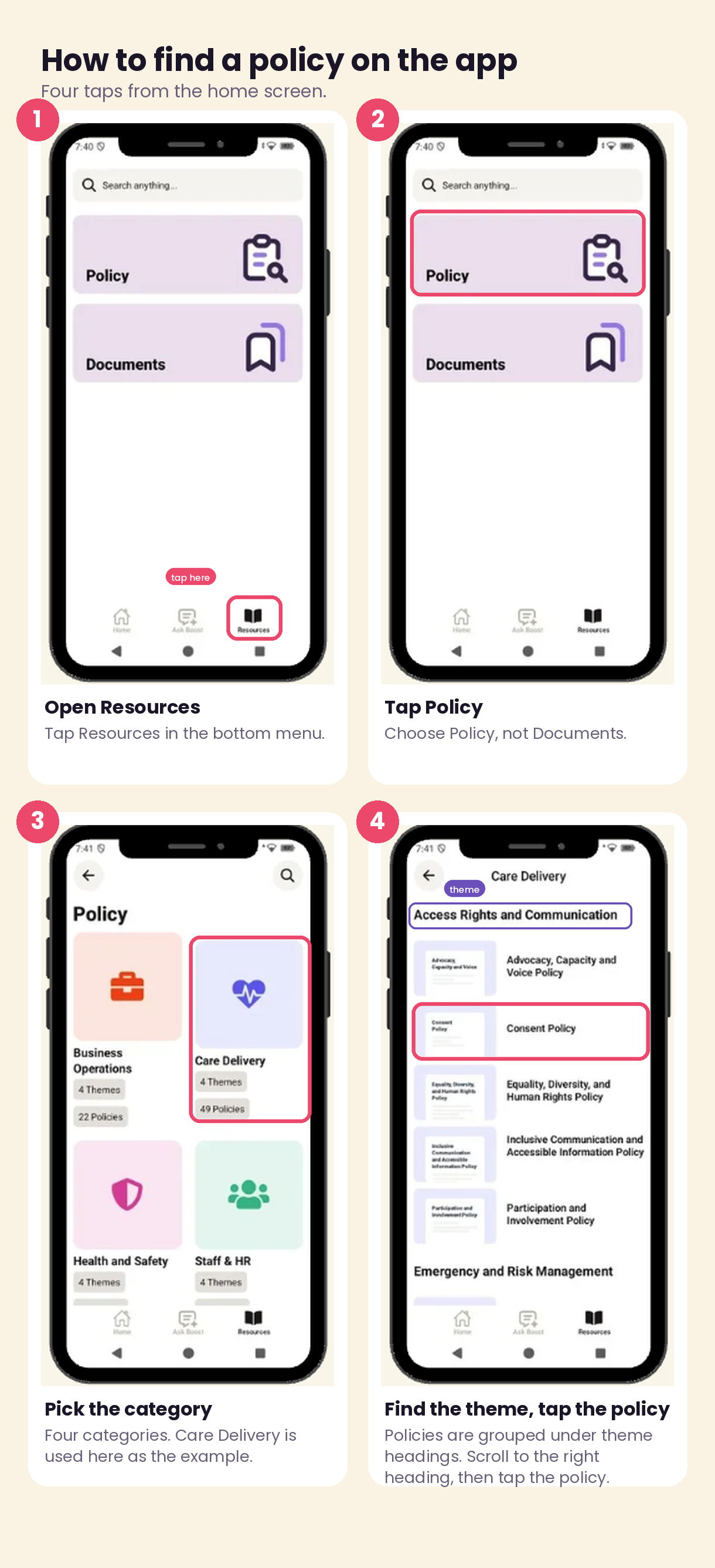
- Tap Resources at the bottom of the screen.
- Tap Policy. (Documents is for other files your organisation has uploaded.)
- Choose the category your policy sits in – Business Operations, Care Delivery, Health and Safety, or Staff & HR.
- Policies are grouped under theme headings. Scroll to the right heading and tap the policy you need.
Not sure which category a policy is in? Use the search bar at the top of the Resources screen and type any part of the policy name.
If you can't find what you're looking for, contact your manager.
Was this article helpful?
That’s Great!
Thank you for your feedback
Sorry! We couldn't be helpful
Thank you for your feedback
Feedback sent
We appreciate your effort and will try to fix the article