When you need to add or delete a learner, it MUST be done from your Boost Dashboard.
Step 1
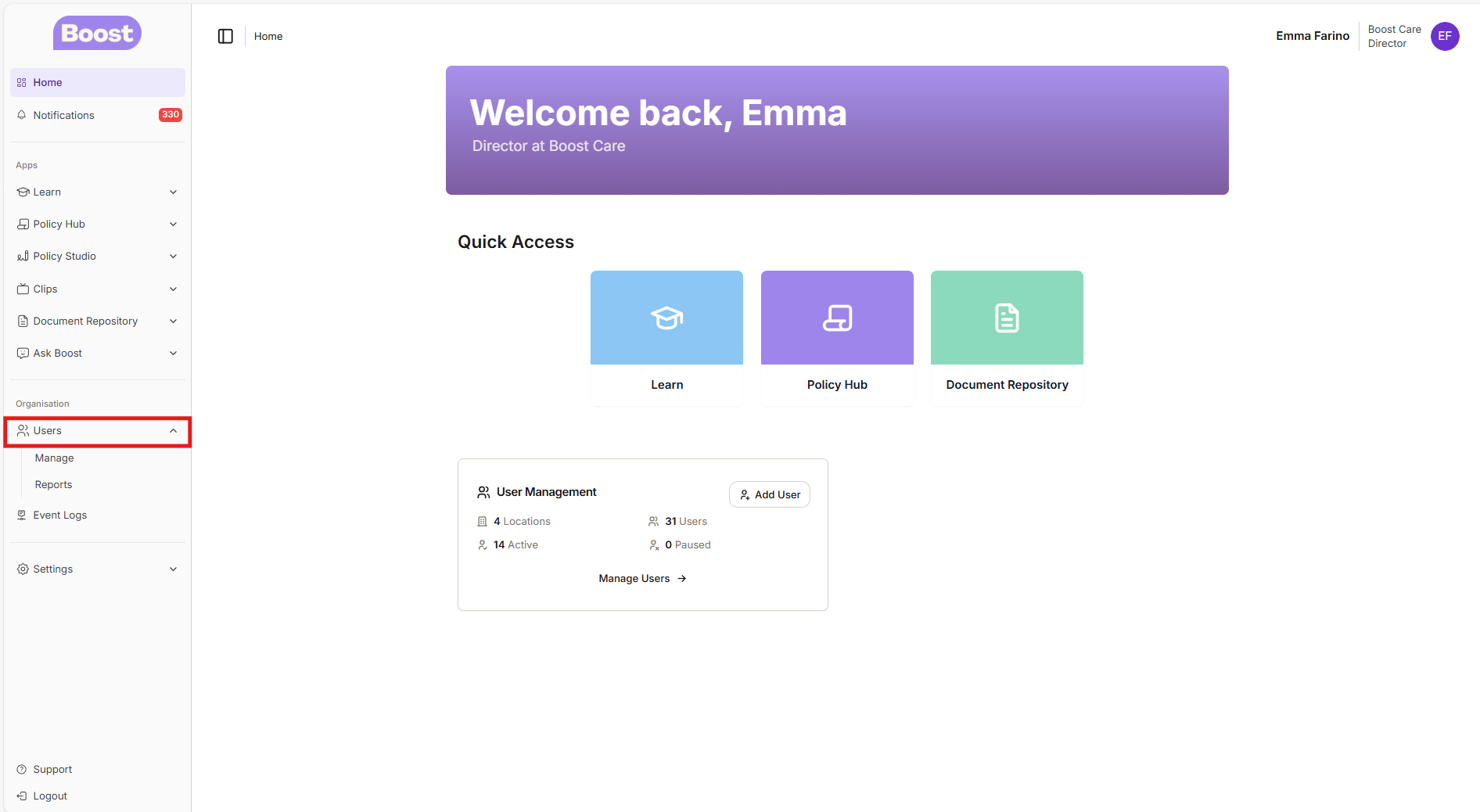
- Log into the Boost Dashboard
- On the left hand side - click on USERS
Step 2
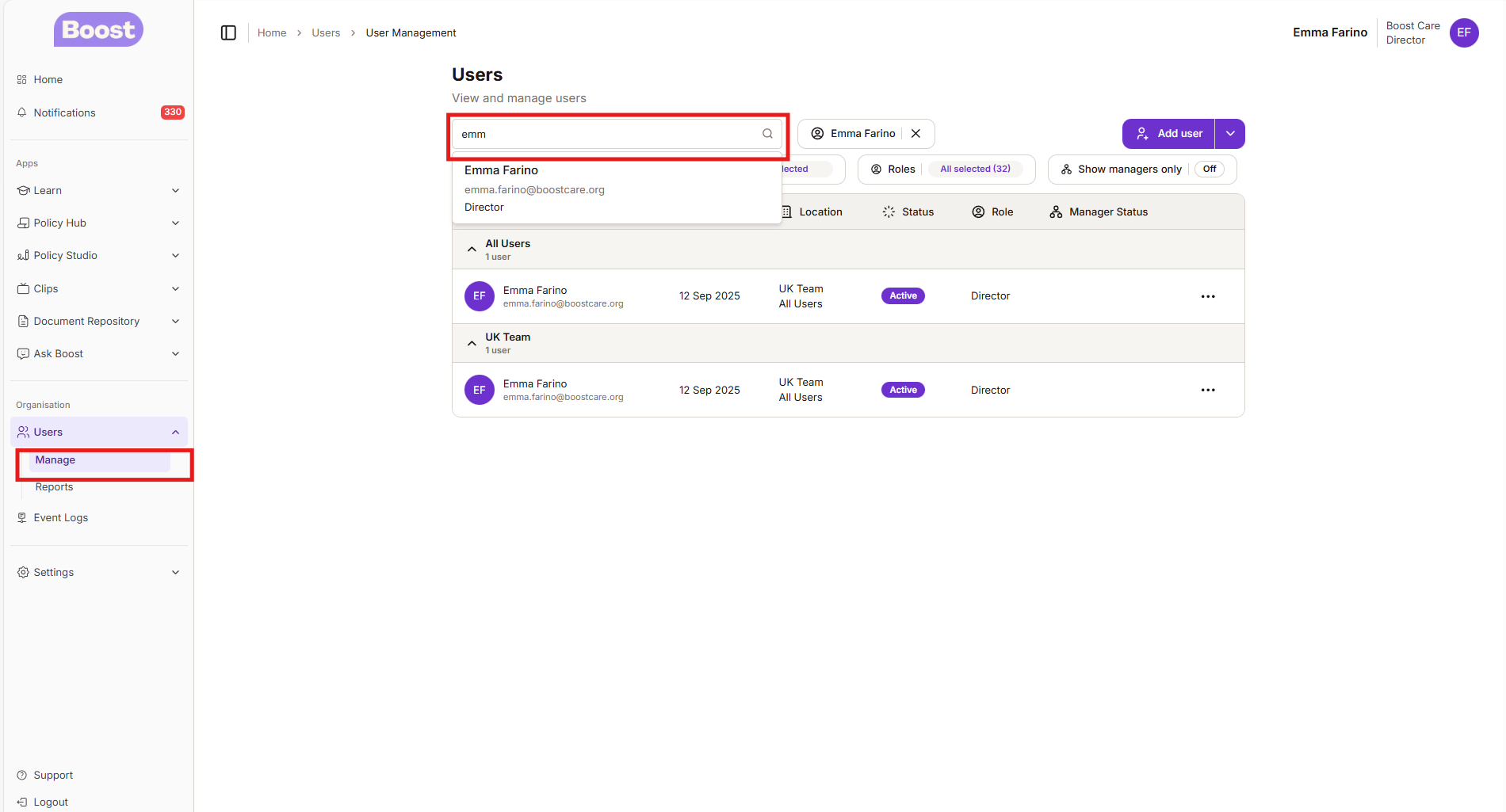
- Underneath Users - Click on MANAGE
- Go to the search bar and type in the person you would like to find
Step 3
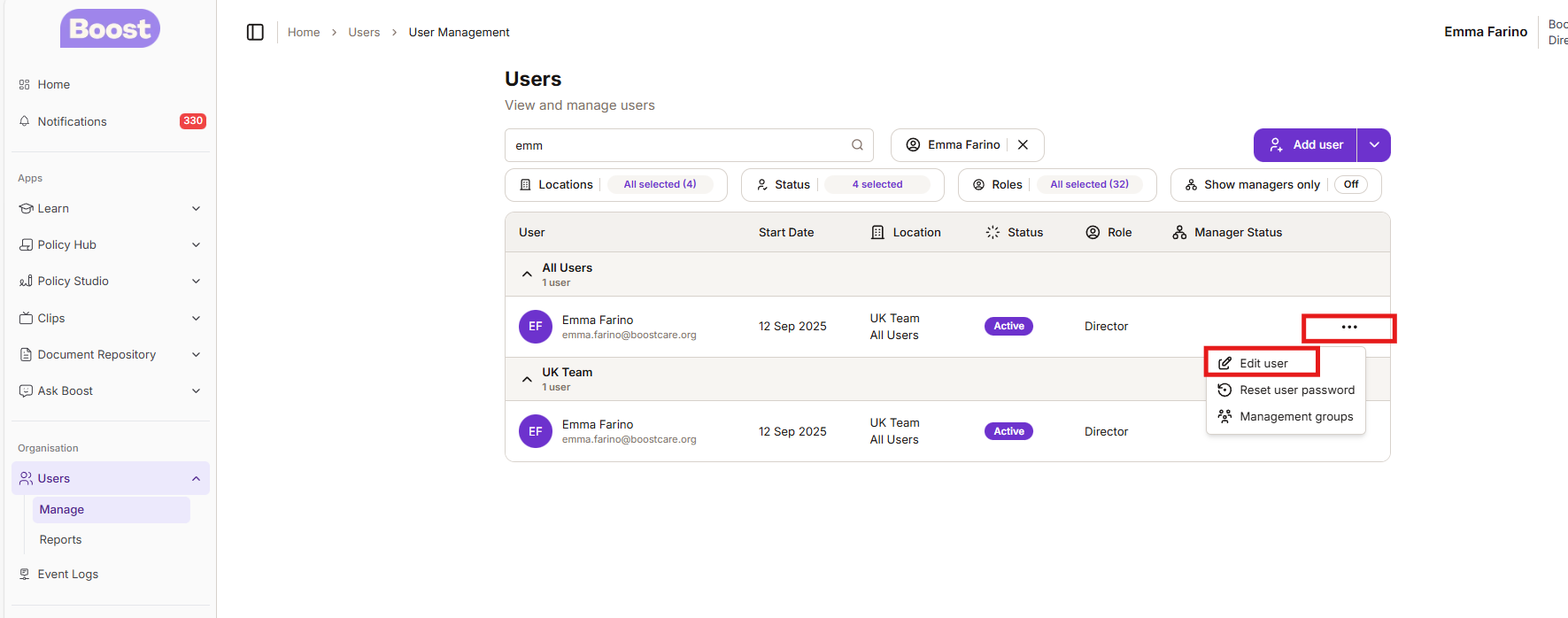
- Click on the three dots on the left hand side of the learners name
- Click on EDIT USER
Step 4
It will take you to the screen below where you can then change the status to Inactive
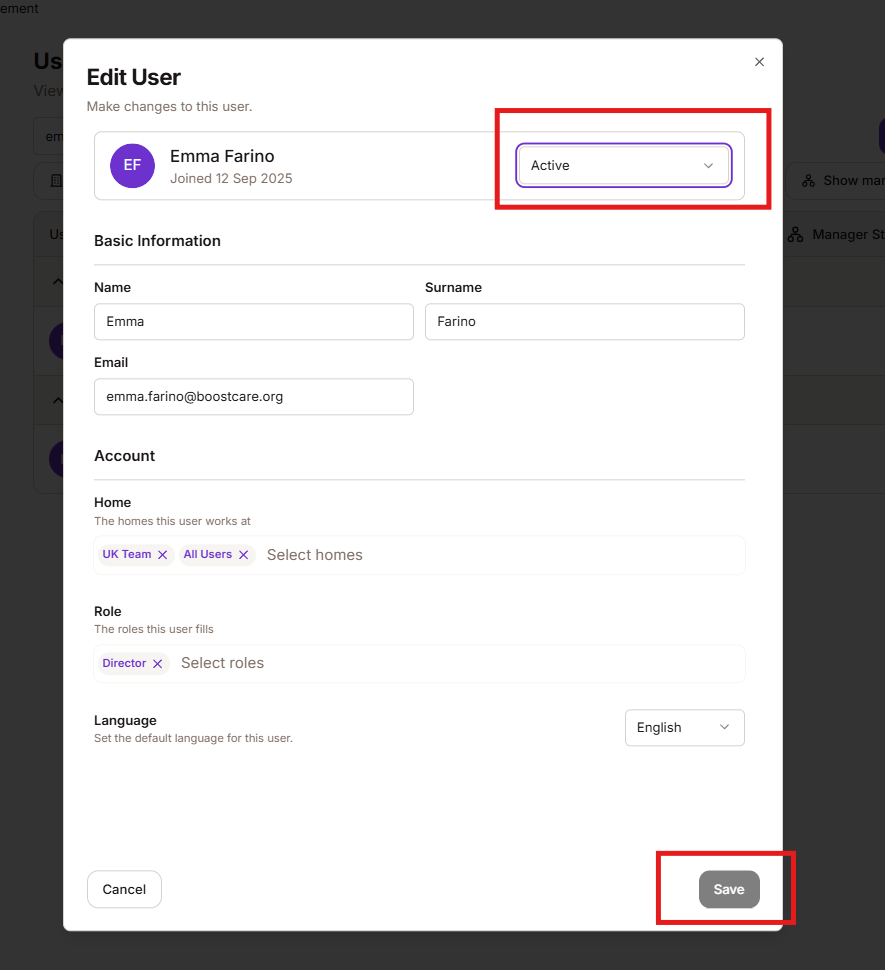
This means that your learner will no longer appear on any reports and will not have access to Boost Learn
Was this article helpful?
That’s Great!
Thank you for your feedback
Sorry! We couldn't be helpful
Thank you for your feedback
Feedback sent
We appreciate your effort and will try to fix the article