Step 1
- Log onto your Boost Learn account
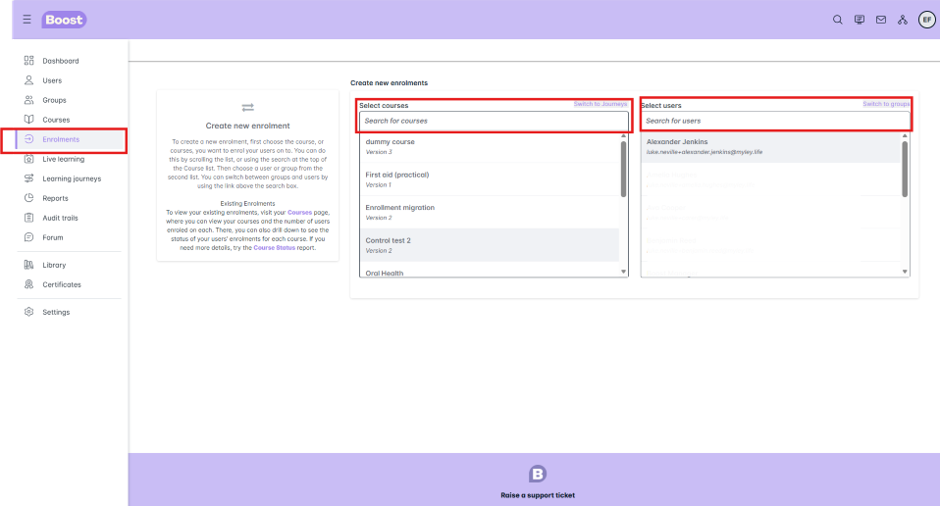
- On the left hand side of the screen, scroll down to the Enrolments tab and click on it
- It will bring up a screen where you can create new enrolments
Step 2
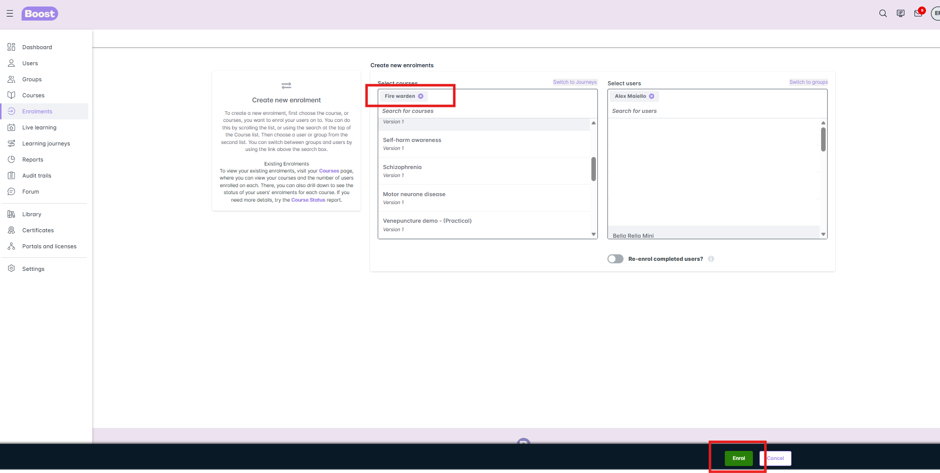
- Select the course you would like to allocate to the learner and click on it. It will then appear at the top of the bar in a grey background
- Select the learner you would like to enrol on the course and click on the name. The learner will then appear at the top of the bar in a grey background
- Then click the green Enrol button
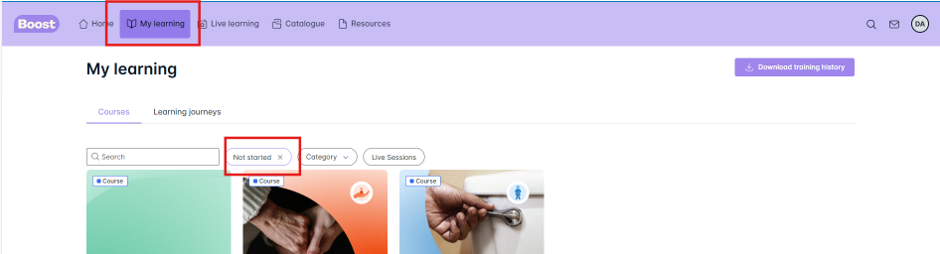
Your learner will be enrolled on the course again and need to complete this. It will show in their My Learning area as Not Started
Was this article helpful?
That’s Great!
Thank you for your feedback
Sorry! We couldn't be helpful
Thank you for your feedback
Feedback sent
We appreciate your effort and will try to fix the article