Overview
The New Starter Period setting lets you define how many days after a user’s start date they are considered a “new starter”. This setting is used by auto-enrolment processes elsewhere in the system. You can find the setting under Organisation Settings, where you can manage your organisation’s structure and related settings.
How to set a new starter period
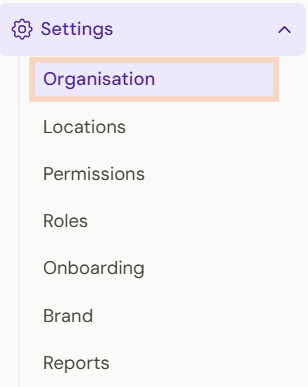
- Go to the Boost side navigation bar and scroll down to Settings.
- Select Organisation.
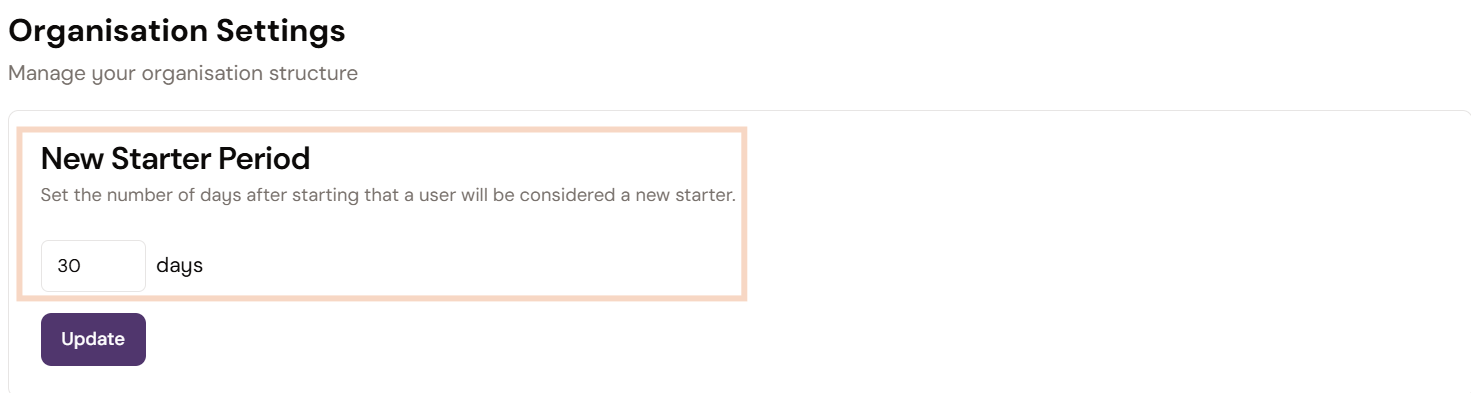
- On the Organisation Settings page, find New Starter Period.
- Enter the number of days you want the new starter period to last.
- Select Update to save the setting.
Was this article helpful?
That’s Great!
Thank you for your feedback
Sorry! We couldn't be helpful
Thank you for your feedback
Feedback sent
We appreciate your effort and will try to fix the article