Overview The Compliance Reports section gives you a real-time view of how your organisation is performing against its enrolment requirements. You can see overall compliance percentages, identify users with overdue or upcoming enrolments, and drill down to compliance status by location or individual user.
| Note: The Enrolment System is currently in preview. While fully functional, the user interface and some features may change as we continue to develop it. You should expect the system to work as described in this guide. |
Navigating to compliance reports
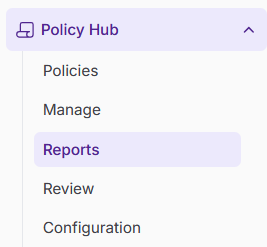
In the left-hand navigation bar, go to Policy Hub and then select Reports.
Scroll to the Compliance section at the bottom of the Reports page.
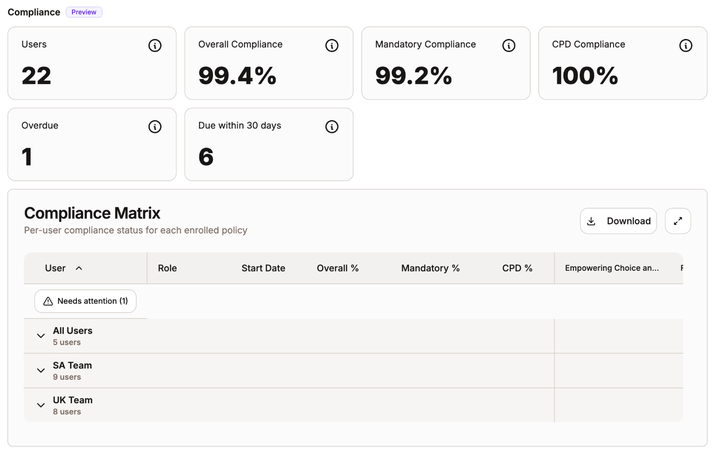
Components of the compliance section
The Compliance section contains three main areas: Highlight cards, overdue and upcoming enrolments and the compliance matrix.
1. Highlight cards
At the top of the compliance section, a set of summary cards display your organisation's overall compliance at a glance.
These cards show the overall compliance percentage, that is, the proportion of users who currently hold a valid completion for their assigned mandatory content.

2. Overdue and upcoming enrolments
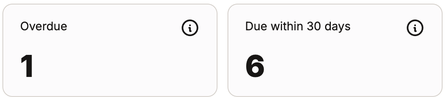
Below the highlight cards, you will see a list of enrolments that require attention:
- Overdue enrolments: Enrolments that have passed their due date and have not been completed
- Due within the next 30 days: Enrolments that are approaching their due date and are at risk of becoming overdue. Use this list to proactively follow up with users or managers before enrolments become overdue.
3. Compliance matrix
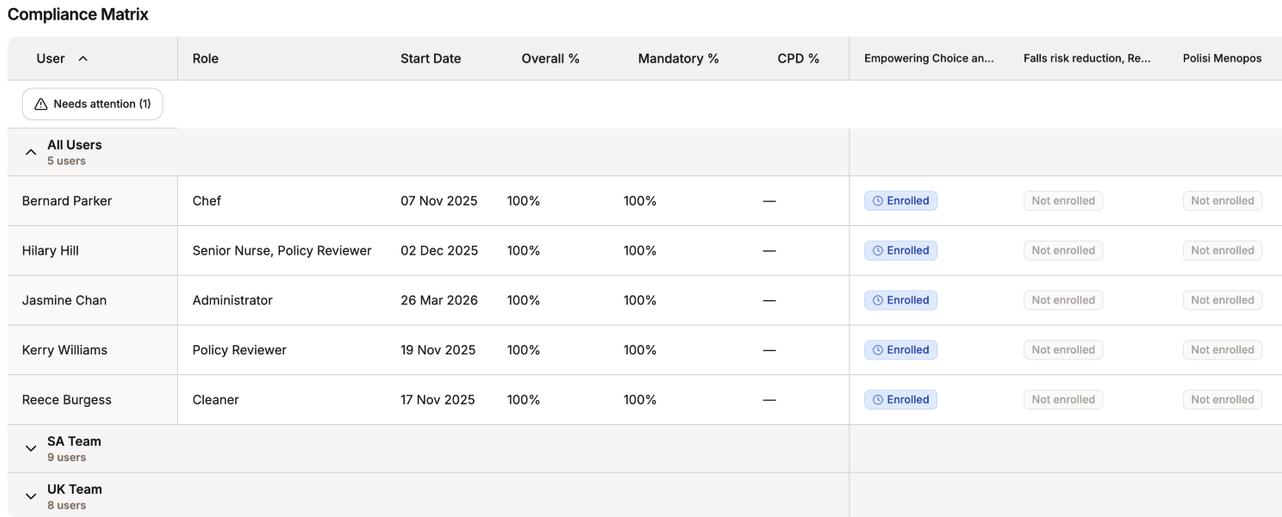
The compliance matrix gives you a detailed breakdown of enrolment status across your organisation. It can be expanded to show compliance in two ways:
By Location: See the overall compliance percentage for each site or location within your organisation. This allows you to identify which locations are performing well and which may need attention.
By Individual User: Drill down further to see each individual user's enrolment status. For each user, you can see:
- Whether they are enrolled in a specific piece of content
- Their current enrolment status (Enrolled, Due Soon, Overdue, Complete)
This gives you a complete picture of who is compliant, who is at risk, and who requires follow-up.
Understanding compliance versus enrolment status
When reviewing the compliance matrix, it is important to remember that compliance and enrolment status are independent.
- A user is compliant if they hold a valid completion regardless of whether they have an active or overdue enrolment.
- An enrolment can be overdue even if the user is still compliant (e.g. because they completed the same content previously and that completion is still within its validity period).
Was this article helpful?
That’s Great!
Thank you for your feedback
Sorry! We couldn't be helpful
Thank you for your feedback
Feedback sent
We appreciate your effort and will try to fix the article